
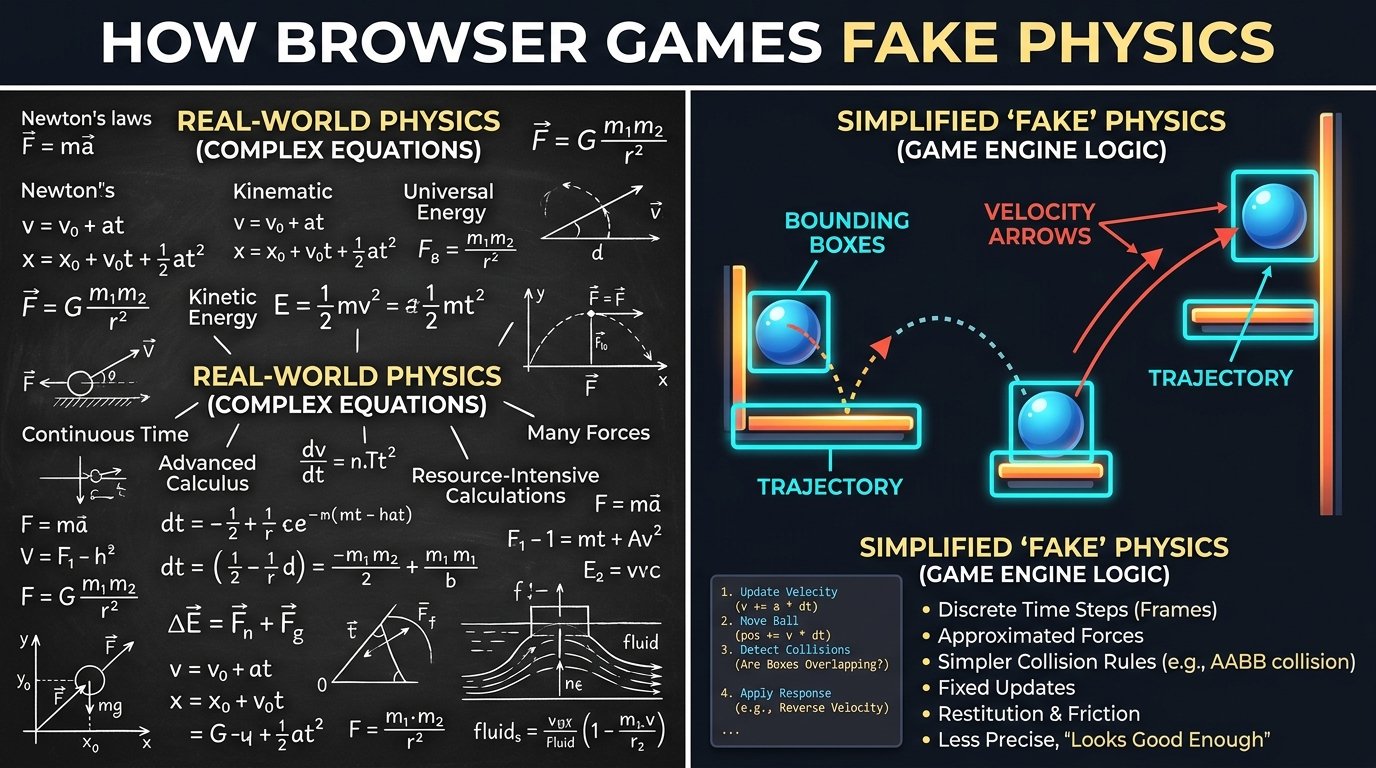
How Browser Games Fake Physics (And Why It Matters)
You ever play a game where the jumping just feels... wrong? Like your character is floating on the moon, or instantly snapping to the ground like a magnet? Game physics is one of those things you only notice when it's bad. But when it's good, it's the invisible glue holding the whole retro experience together.
Back in the old arcade days, physics were super rigid because of memory limits. Now? You can write a pretty decent gravity system in vanilla JavaScript with just a few lines of code and render it on an HTML5 canvas without breaking a sweat.
The Math Behind the Magic
Okay, I promise not to go full math-teacher here, but 2D game physics usually comes down to vectors. Every frame, the game is looking at your character and adding "velocity" to your x and y coordinates. Throw in a little constant downward push (gravity), and boom: you've got jumping.
What Makes Different Games Feel Right?
Different genres need completely different rules to feel correct. Check out how much the numbers vary depending on what you're making:
| Game Type | Gravity Vibe | Bounciness |
|---|---|---|
| Infinite Runner (Like Dino Run) | Heavy. You gotta get back on the ground fast. | None. Splat. |
| Brick Breaker | Zero gravity. It's all about angles. | 100% Elastic. Never loses speed. |
| Space Shooter | None, but lots of sliding (inertia). | Slight slide off walls. |
Boxes vs. Circles: The Developer's Dilemma
This is the lazy (but fast) way. You just draw an invisible square around the sprite. Super cheap for the CPU, perfect for Tetris. But if you try this on a ball? The corners will hit things they clearly missed.
This calculates the actual radius. It makes paddle deflections look flawless, but you have to do some heavier math (square roots and stuff). Do this with 500 objects on screen and an old phone will melt.
Why Your Game Runs Differently on High Refresh Rate Monitors
If you're building a game, you absolutely have to use "delta time." If you just say "move down 5 pixels every frame," someone playing on a 144Hz monitor is going to fall twice as fast as someone on a normal 60Hz screen. Delta time measures how many milliseconds passed since the last frame and scales the math. It's annoying to set up, but skipping it ruins the game.
Why I Don't Use Big Physics Engines for Casual Games
There's always a debate on whether you should pull in a huge library like Box2D or Matter.js. Honestly? For simple arcade games, it's total overkill. Adding a 100KB physics library to a game that's just a jumping square makes no sense. You can write a custom collision system for a Flappy Bird clone in like 50 lines of code, and it runs at a buttery 60 FPS on literally anything.
Save the heavy physics engines for when you're building Angry Birds. For casual stuff, keep it raw and simple.
The Grid Trick (Spatial Partitioning)
Here's a cool trick: if you have a hundred enemies on screen, checking if every single one is touching every other one is a disaster. That's thousands of math checks every frame. The fix? Chop the screen into a grid. Only check for collisions between objects that are in the same grid square. It drops your CPU usage massively. That's how we keep games like Bubble Shooter running smoothly.
When Physics Feel Good
As a player, you can just feel it. When the ball in pong bounces exactly where your brain expected it to go, or when a jump feels perfectly weighty, that's a dev who spent hours tweaking three variables. When you clip through a wall because you were moving too fast? That's a dev who forgot to cap terminal velocity.